
Choosing AI Networking Events That Build Skills and Real Connections
AI networking events come in very different shapes. Some are curated founder dinners and invite-only …
Read More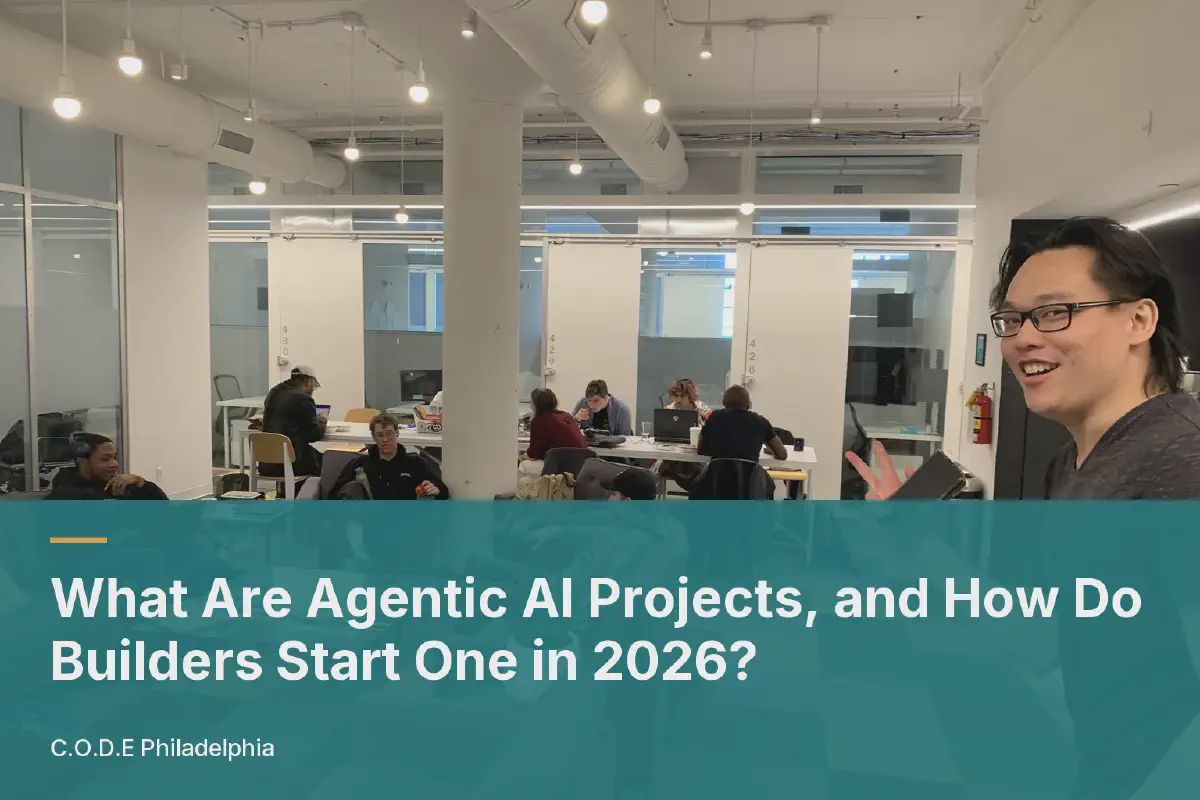
A plain-language explainer on agentic AI projects: how agents work, the tools behind them, open-source options, beginner project ideas and how to build safely.
An AI agent is software that gets a goal, decides what to do next, uses tools to act, checks the result and keeps going until the job is done or it gets stuck. That loop of plan, act, observe and adjust is the whole idea. An agentic AI project is any piece of software built around that loop, from a small script that triages your inbox to a multi-agent system that researches, writes and files a report.
We run C.O.D.E Philadelphia, a volunteer-run nonprofit where developers, engineers and designers build side by side every week. Agents have become one of the most common things our members want to build, and our AI Agent Hackathon was organized around them. This guide explains the topic from the ground up: what makes a project agentic, how the pieces fit together, which tools and open-source projects builders use, which ideas suit beginners, where agents fail and why the work matters to sponsors and donors as well as to the people writing the code.
Agentic AI projects are software systems where a language model chooses actions, calls tools and works toward a goal over several steps with limited human input. They matter to developers learning a fast-moving skill, to early-career builders who need portfolio work, and to the sponsors and donors who fund the spaces where people learn to build agents responsibly.
 Most agent projects start as small experiments built alongside other people.
A project is agentic when the software, not the programmer, decides the sequence of steps needed to reach a goal. A traditional program follows a path a developer wrote in advance. An agent gets a goal and a set of tools, and the language model picks which tool to call, in what order and with what inputs, based on what it has seen so far.
The term comes from agency, the capacity to act on one’s own behalf. Computer science has studied software agents for decades. The idea of an intelligent agent that perceives its environment and acts to reach goals is a core concept in the field, described in Wikipedia’s entry on intelligent agents. What changed is that large language models can now read a messy instruction, reason about it in plain language and produce structured tool calls well enough to make general-purpose agents practical.
Agency comes in degrees. A system that asks a model to choose between two fixed branches has a little. A system that lets a model write and run its own code, browse the web and spawn helper agents has a lot. Most useful projects sit somewhere in the middle, and choosing how much autonomy to give is one of the main design decisions a builder makes.
The clearest way to see what an agent is, and is not, is to compare it with the two things people most often confuse it with: a chatbot and an automated workflow. The table shows that the difference comes down to who controls the steps.
How chatbots, AI workflows and AI agents differ
| System | Who decides the steps | Uses tools | Typical example |
|---|---|---|---|
| Chatbot | The user, one message at a time | Rarely | A help widget that answers questions |
| AI workflow | The developer, in fixed code | Yes, in a set order | Summarize every new support ticket |
| AI agent | The model, at run time | Yes, chosen as needed | Research a bug, edit code, run tests |
| Multi-agent system | Several models coordinating | Yes, split across roles | A planner agent assigning work to helpers |
Workflows are often the better choice. If you already know the exact steps, writing them as code is cheaper, faster and easier to test than asking a model to rediscover them each run. Agents earn their cost when the path varies from task to task and cannot be written out ahead of time.
Every AI agent, however large, is built from the same small set of parts. Knowing these parts makes any framework or repository easier to understand, because each one is just a different way of arranging them.
Beginners often focus on the model and the prompt. Experienced builders spend most of their time on tool descriptions, guardrails and evaluation, because those decide whether an agent behaves the same way on its hundredth run as it did in the demo.
An agent works by repeating a short cycle until the task is finished. The orchestration code sends the model the goal and everything that has happened so far. The model replies with either a final answer or a request to call a tool. If it asks for a tool, the code runs it, adds the result to the history and asks the model again.
Here is a stripped-down version of that loop in Python-style pseudocode. It is not tied to any framework, which makes the structure easier to see.
history = [system_prompt, user_goal]
for step in range(MAX_STEPS):
    reply = model.respond(history, tools=TOOLS)
    if reply.is_final_answer:
        return reply.text
    result = run_tool(reply.tool_name, reply.tool_args)
    history.append(reply)
    history.append(result)
return "Stopped: step limit reached"
The first line builds the starting context from the instructions and the user’s goal. The loop runs at most MAX_STEPS times, which is the simplest guardrail there is: it stops an agent from spinning forever. Inside the loop, the model sees the full history and the list of tools. If it decides it is done, the loop returns its answer. Otherwise the code runs the tool it chose, records both the request and the result, and goes around again. The last line handles the case where the agent never finishes.
Nearly every agent framework is an elaborate version of these nine lines. Frameworks add retries, parallel tool calls, streaming output, memory stores and tracing, but the core cycle stays the same.
Planning patterns. Some agents act one step at a time and react to each result. This pattern is often called ReAct, short for reasoning and acting. Others write a full plan first and then carry it out, revising when something fails. Plan-first agents tend to be easier to follow and audit, while step-by-step agents adapt better when the environment is unpredictable.
Multi-agent designs. In a multi-agent project, separate agents take separate roles, such as a researcher, a writer and a reviewer, and pass work between them. This can make each agent’s job simpler, but it adds coordination problems. Many teams find that one well-equipped agent beats three loosely coordinated ones until the task is genuinely large.
AI agent development tools fall into three layers: the models that do the reasoning, the frameworks that run the loop, and the protocols that connect agents to outside systems. You can build an agent with nothing but a model API and a few dozen lines of code. Frameworks and protocols save time once a project grows.
The model is the agent’s decision-maker. Builders choose between hosted models from providers such as OpenAI, Anthropic and Google, which offer strong tool-calling ability through an API, and open-weight models that can run on a laptop or a private server through tools such as Ollama. Hosted models are usually more capable at multi-step reasoning. Local models cost nothing per call and keep data on your own machine, which matters for projects that handle private information.
For a first project, the practical test is whether the model reliably produces valid tool calls. A model that reasons well in chat but formats tool requests inconsistently will make the whole agent feel broken.
Orchestration frameworks handle the loop, the tool wiring and the memory so you do not rewrite them for every project. Widely used open-source options in 2026 include LangChain and its graph-based companion LangGraph, LlamaIndex for agents that work heavily with documents, CrewAI and Microsoft’s AutoGen for multi-agent setups, and the agent SDKs that model providers publish alongside their APIs.
Frameworks change quickly. A tool that was standard in one year may be reorganized the next. Understanding the underlying loop protects you from that churn, because you can recognize the same parts under a new name.
Protocols let agents connect to tools and data without custom glue code for every pairing. The most widely adopted is the Model Context Protocol (MCP), which defines a standard way for an agent to discover and call tools exposed by a server. A developer can write one MCP server for, say, a city open-data API, and any MCP-compatible agent can use it.
These standards now have a neutral home. The Linux Foundation announced the Agentic AI Foundation on December 9, 2025, with founding contributions of Anthropic’s Model Context Protocol, Block’s goose and OpenAI’s AGENTS.md. Goose is an open-source agent that runs on a developer’s machine. AGENTS.md is a convention for a plain-text file in a repository that tells coding agents how a project is built, tested and organized. For builders in 2026, this means the core plumbing of agent development is governed in the open, in the same way much of the internet’s infrastructure is.
Open-source agentic AI projects are agents, frameworks and tools whose source code is public, so anyone can read, run and modify them. They are the fastest way to learn how working agents are built, because you can see the real prompts, tool definitions and error handling instead of a polished demo.
Open source has a long history as a way for developers to learn from each other’s code, as Wikipedia’s article on open-source software describes. In the agent space, useful categories of public code include the following.
Most agentic AI projects with source code live on GitHub, and a repository page tells you a lot before you read any code. Learning to scan one quickly helps you decide whether a project is worth your time or safe to run.
Before running any open-source agent on your own machine, read which tools it can call and what permissions it asks for. An agent that can execute shell commands or send email acts with your access, so start it in a sandbox, a container or a throwaway account.
Good agentic AI projects ideas share three traits: a goal you can state in one sentence, tools the agent needs to vary in how it uses them, and a result you can check. If a task always follows the same steps, it is a workflow. If you cannot tell whether the agent succeeded, you cannot improve it.
The best first agent has one job, two to four tools and low stakes when it makes a mistake. These ideas fit that shape and can be built in a weekend with a hosted model and plain Python or JavaScript.
Each of these teaches the core skills: writing clear tool descriptions, handling a tool that returns an error and deciding when the agent should stop and ask you. Those skills carry into every larger project.
Once you have shipped a simple agent, harder projects add memory, more tools, more autonomy or more than one agent. These ideas suit hackathon teams and side-project builders looking for portfolio work with depth.
The last idea is the least glamorous and arguably the most valuable. Builders who can measure an agent’s reliability are rarer than builders who can make one run once.
 Agent projects tend to go better when the team agrees on the goal and the tools before writing code.
AI agent development is an iterative cycle of defining a task, building the smallest agent that might handle it, watching it fail and fixing the cause. It looks less like writing a program from a spec and more like training a new colleague: you explain the job, watch the first attempts and clarify what you meant.
Reading traces is the habit that separates working agents from frustrating ones. When an agent picks the wrong tool, the trace usually shows why: two tools have overlapping descriptions, or a tool returned an error message the model misread. Most fixes are changes to wording, not to code.
Cost and speed. Every loop iteration is a model call, and long histories make each call slower and more expensive. Builders keep agents affordable by trimming old context, summarizing long tool outputs and using a smaller model for simple steps. A short agent that finishes in a few calls is easier to run and easier to trust.
Working in a team. On a hackathon team, the cleanest split is usually by building block. One person owns the tools, one owns prompts and evaluation, one owns the interface and the demo. Each part can be tested separately, which keeps a weekend project from collapsing in the last hour.
Many agent projects stall because they start with the technology instead of a problem, then cannot show reliable results. The pattern is common enough that analysts expect a large share of agent work to be dropped. In a June report, Gartner projected that more than 40% of agentic AI projects would be canceled by the end of 2027.
That projection sits alongside fast growth. A security framework paper reports that the market value of agentic AI reached USD 5.1 billion in 2024, and the same paper cites a survey finding that less than 1% of enterprise software included agentic AI in 2024, with nearly a third expected to by 2028. Broader AI use was already climbing: McKinsey data reported by Svitla shows regular generative-AI use rose from 65% in 2024 to 71% in 2025 across business functions. Growth and high cancellation rates together describe a field in 2026 where demand is real but skill at shipping dependable agents is still scarce.
The reasons projects stall are consistent across company pilots and weekend builds.
Every item on that list is a skill gap, not a hardware or budget gap. People learn to avoid these mistakes by building agents, watching them fail and comparing notes with others who hit the same walls.
Agents carry more risk than chatbots because they act. A chatbot that misreads a request gives a wrong answer. An agent that misreads a request can delete a file, send an email or spend money. Responsible design starts from the assumption that the agent will sometimes be wrong, and limits the damage when it is.
One threat is specific to agents: prompt injection, where text the agent reads, such as a web page or an email, contains instructions that try to hijack it. Wikipedia’s article on prompt injection describes how untrusted input can override a model’s intended instructions. An agent that browses the web and also has access to your inbox is exposed to exactly this risk.
Responsibility also covers who an agent affects. An agent that screens job applications or answers questions about public services can treat people unfairly if its data or instructions are skewed. Builders who test their agents against varied users and edge cases catch these problems before they reach the public.
A strong hackathon agent solves one clear problem, shows its reasoning live and handles at least one failure on stage without breaking. Judges and fellow builders are rarely impressed by an agent that claims to do everything. They respond to a narrow agent that works every time it is demoed.
At our AI Agent Hackathon, part of C.O.D.E Philadelphia’s quarterly hackathon series, the projects that held up best shared a few habits. Teams scoped the goal early, built the tools before polishing the interface and rehearsed the demo against real inputs. Several teams showed their agent’s step-by-step trace on screen, which let the room see the agent decide, act and recover.
That last habit matters beyond the weekend. A hackathon agent with readable source code becomes a portfolio piece, a starting point for another builder and sometimes a tool a local organization actually uses.
For sponsors and donors, agent building is a practical way to fund skills that employers and nonprofits need in 2026. The gap described above, strong demand alongside frequent project failure, is a gap in hands-on experience. Workshops and lectures help, but people learn to ship reliable agents by building them with others nearby who can help debug a broken tool call at nine at night.
That is how C.O.D.E Philadelphia is organized. According to our organization’s own figures, the community has grown since its founding in 2024 to more than 5,700 members on Meetup and more than 490 active builders on Discord. Weekly coding sessions give members a regular place to work side by side, and quarterly hackathons at venues such as Pennovation Works give them deadlines and teammates. We describe ourselves as a working community, not a networking happy hour, and agent projects fit that model well because they reward iteration and shared debugging.
For corporate sponsors and CSR managers. Sponsorship funds venues, food and prizes for events where early-career developers, bootcamp graduates and experienced engineers build agents together. Sponsors can offer API credits, mentors who review tool design and security, or problem statements drawn from real needs. The result is a stronger local talent pool with practical agent experience.
For recurring donors. Regular donations keep weekly sessions free and open to builders of every skill level, including people who cannot afford paid courses. A steady session is where a beginner’s first reading-list agent turns into a second, better project.
For developers and builders. You do not need prior agent experience to join. Bring a laptop and an idea from the lists above, or join a team at a hackathon. Our founder, Tony Siu, is an agentic AI engineer with research published at CAIP 2025, and many members have built agents of their own and are glad to look at yours.
If you want more people in Philadelphia able to build AI agents that work reliably and safely, C.O.D.E Philadelphia is a place to make that happen. Developers can join a weekly coding session or our next hackathon. Volunteers can help run events, and companies and individuals can sponsor or donate to keep these sessions open to every builder who wants to learn.
Powered by gofylo.io